
AdriaATM1.8 - Google Play
You'll be able to see results in few seconds.
Publisher Description
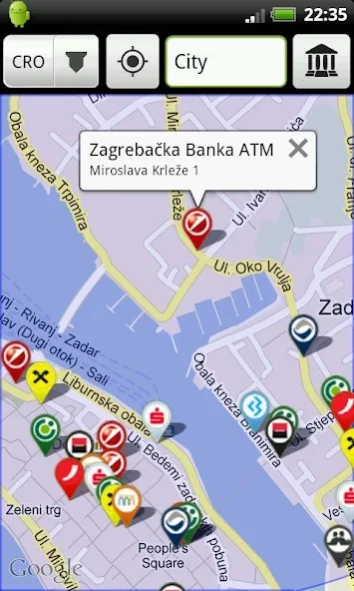
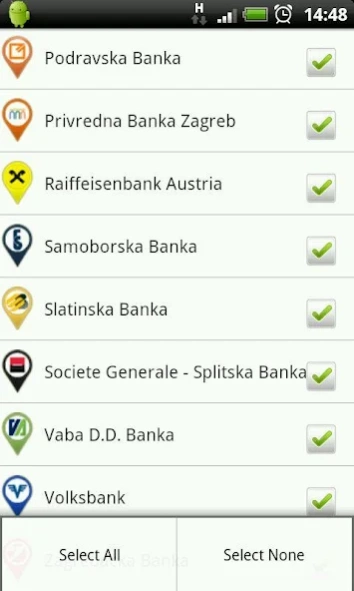
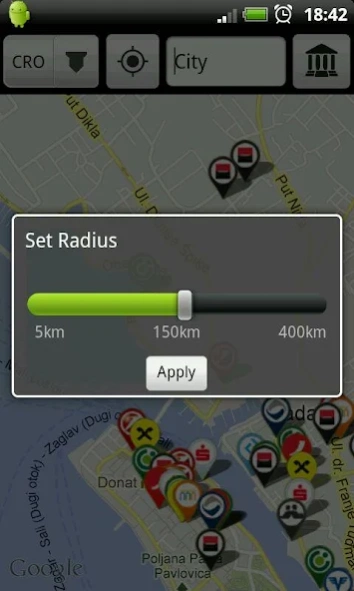
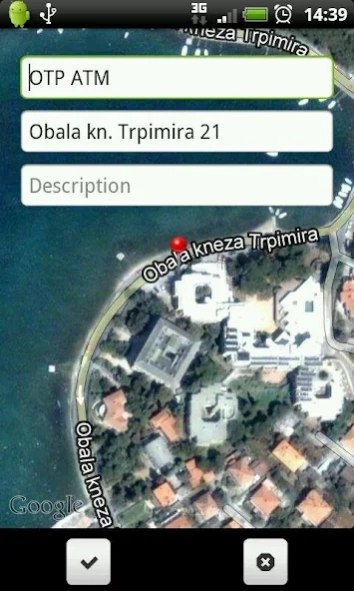
Find ATMs of selected banks around you, or in a town of your choosing.
AdriaATM Vam pokazuje lokacije najbližih bankomata. Uštedite vrijeme i živce!
Pronađite bankomate oko Vas ili u odabranom gradu.
Preko 8000 bankomata 70-ak različitih banaka u Hrvatskoj, BiH, Grčkoj, Crnoj Gori i Srbiji.
AdriaATM saves your time by helping you find desired ATMs in the urban jungle.
Find ATMs of selected banks around you, or in a town of your choosing.
Save your time and have fun ... for free!
More than 8000 ATMs;
More than 75 banks;
Currently contains data for the following countries:
-Croatia
-Bosnia & Herzegovina
-Greece
-Montenegro
-Serbia
SUPPORT
We'd love to hear from you! Email your questions or feedback to us at AdriaATM@gmail.com
Developed by: Andrej Skorić, Ivan Mikačić
Design: Jelena Ivković
Keywords: find atm, locate atm, ATM, cash machine, free, bank, bankomat, Greece, Bosnia, Herzegovina, bih, b&h, Croatia, Montenegro, Serbia, BiH, Cro, Mne, Srb, Hrvatska, Bosna, Hercegovina, Crna Gora, Ελλάδα, Srbija, Hr, Cg, Gr, Sr, cash, money, POI, Adriatic, Adria, Bankomati hr, Android bankomat
About AdriaATM
The company that develops AdriaATM is Andrej Skorić. The latest version released by its developer is 1.8.
To install AdriaATM on your Android device, just click the green Continue To App button above to start the installation process. The app is listed on our website since 2013-08-02 and was downloaded 0 times. We have already checked if the download link is safe, however for your own protection we recommend that you scan the downloaded app with your antivirus. Your antivirus may detect the AdriaATM as malware as malware if the download link to com.optimazadar.adriaatm is broken.
How to install AdriaATM on your Android device:
- Click on the Continue To App button on our website. This will redirect you to Google Play.
- Once the AdriaATM is shown in the Google Play listing of your Android device, you can start its download and installation. Tap on the Install button located below the search bar and to the right of the app icon.
- A pop-up window with the permissions required by AdriaATM will be shown. Click on Accept to continue the process.
- AdriaATM will be downloaded onto your device, displaying a progress. Once the download completes, the installation will start and you'll get a notification after the installation is finished.
Program Details
System requirements
Download information
Pricing
Version History
version 1.8
posted on 2013-08-02
-Approximately 100 ATMs added,-Dodano oko 100 bankomata
Disclaimer
Official Google Play Link
We do not host AdriaATM on our servers. We did not scan it for viruses, adware, spyware or other type of malware. This app is hosted by Google and passed their terms and conditions to be listed there. We recommend caution when installing it.
The Google Play link for AdriaATM is provided to you by apps112.com without any warranties, representations or guarantees of any kind, so access it at your own risk.
If you have questions regarding this particular app contact the publisher directly. For questions about the functionalities of apps112.com contact us.
